The school emailed one of you.
Now both know.
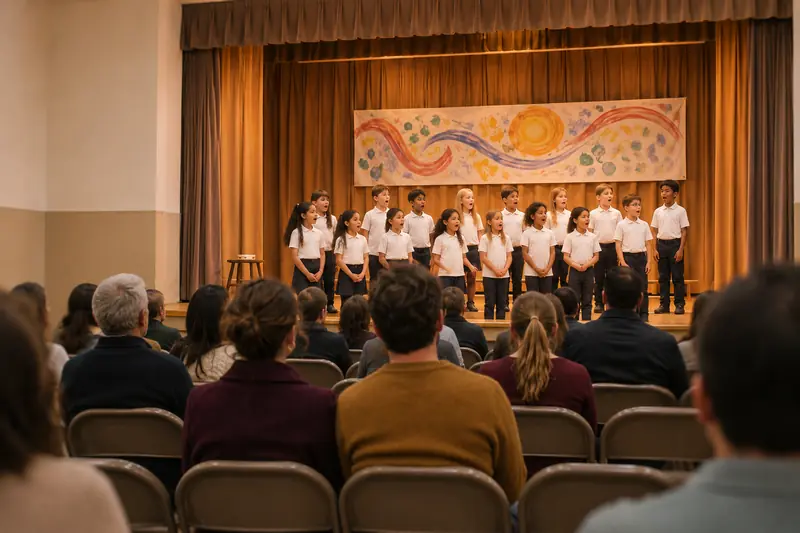
The school has Mom’s address, so the recital email went to her. Della put the date on the family calendar and told her, and now Dad knows too.
- Dad what time is the recital?
- Della 6:30 tonight, in the gym. It’s on the family calendar.
The short answer
Della is an AI assistant that reads the school email arriving in your Gmail, so you don’t have to forward it or dig for it later. When an email needs something from you, such as a sign-up that just opened, a form that’s due or a recital date, Della texts you on iMessage, Telegram, the iPhone app or the web, and puts the dates it is sure of on a Google Calendar both parents can see. Most school email needs nothing from you, and Della leaves it alone.
Della is in a free, invite-only beta. It works with Gmail and Google Calendar, and nothing else yet.
What does Della do with a week of school email?
Take one example week. Mom and Dad have two kids at Cedar Park Elementary: Juno, 9, and Felix, 6. The school has Mom’s address on file, so nearly everything goes to her.
Between Monday, November 16 and Friday, November 20, nine school and activity emails reached Mom’s inbox.
| Arrived | What Della did | |
|---|---|---|
| Mon 6:05 am | Cedar Park weekly newsletter: book fair thank-yous, spirit wear, the lunch menu | Left alone |
| Mon 2:12 pm | PTA: last week of the wrapping-paper fundraiser | Left alone |
| Mon 2:58 pm | Juno’s music teacher: the third-grade recital is Thursday at 6:30 pm in the gym | Added it to the Family calendar and texted Mom |
| Tue 9:40 am | District: community budget forum on Thursday, December 3 | Left alone |
| Wed 4:02 pm | School photos: retake orders closing soon | Left alone |
| Thu 7:31 am | Swim school: winter registration is open | Texted Mom at 7:42 am with the link |
| Thu 11:15 am | Room parent: thank-you for the teacher gift | Left alone |
| Fri 8:03 am | Felix’s teacher: field-trip form and $12 due Wednesday, December 2 | Made it a to-do and texted Mom |
| Fri 1:30 pm | Cedar Park: the December lunch menu | Left alone |
Nine emails, three texts. One event on the calendar, one to-do, and one sign-up done before the Tuesday slot went.
Monday’s text looked like this:
- DellaI added Juno’s recital to the family calendar. Thursday at 6:30 in the gym. Say undo if I got it wrong.
And Thursday’s, eleven minutes after the email landed:
- DellaWinter swim sign-ups for Juno just opened. Last term the Tuesday slot was gone by lunch. Here’s the link.
- Momsigned her up. tuesdays at 4:30 starting dec 1
- DellaOn the Family calendar: swim, every Tuesday at 4:30, starting December 1.
Della isn’t running a rule like “text about anything from the swim school.” For each email she asks what a friend who knows your family would ask: would they want to hear about this now? She knows Juno swims and Felix is in first grade, so the district budget forum isn’t yours and the recital is. That is a judgment, and a judgment can be wrong.
What if the school only emails one parent?
That’s the usual case, and it’s the one Della is built for.
- One parent connects Gmail. Mom signs in with Google and gives Della read-only access. Della checks for new mail about every 15 minutes. On the first day she also reads back through the last 30 days, so she doesn’t start from nothing.
- The email goes to Mom, so Della texts Mom. Not Dad. It’s Mom’s email, and each parent’s email stays private to them.
- Della adds it and tells Mom. The recital goes on the Family calendar, a Google Calendar Della created and shared with Dad. If it’s wrong, Mom says undo.
- Dad has it. It’s in his own Google Calendar, and he can ask Della about it from his own phone:
- Dadwhat time is the recital?
- Della6:30 tonight, in the gym. It’s on the family calendar.
Dad never saw the email. Mom never forwarded it.
If Dad connects his Gmail as well, three things hold. An email the school sends to both of you becomes one calendar event, not two. Each of you hears about the mail in your own inbox. Neither of you can read the other’s mail through Della.
Connect one inbox or both. One is enough to start. And if Mom wants Dad told right away, she can say “tell Dad” and Della passes the message on.
Can Della add school events to Google Calendar automatically?
Yes, carefully. When Della is sure a date is yours (a clear date for your kids from the school or an activity), she adds it to the Family calendar and tells you what she added. Say “undo that” and it’s gone. When she isn’t sure, she doesn’t guess: she remembers it and can bring it up later, instead of cluttering the calendar.
That care matters because school email is full of dates that aren’t yours: board meetings, other grades’ field trips, every observance on the district calendar. Nobody wants all of those on a shared calendar.
When you tell Della something yourself (“dentist for Felix Tuesday at 3:30”), she adds it straight away and tells you what she did. Either way, “undo that” takes it back.
Can Della read a paper flyer or a screenshot?
Yes. Send Della a photo of the flyer on the fridge, or a screenshot from the class group chat, by iMessage or in the web app. She reads the words in the picture and tells you which dates she found, so you can check them. If one is wrong, say so and she fixes it.
Photo reading is newer than email reading. It’s the part of the beta we’re still checking against real, crumpled, backpack-bottom flyers.
What Della doesn't do
- Anything outside Gmail and Google Calendar. No Outlook, Yahoo or iCloud mail, and no Outlook or Apple calendars.
- Read every attachment on her own. When she screens new mail, Della reads the email itself, not the PDF or calendar file attached to it. Ask her about a specific email and she can open a PDF or picture attached to it. A very long newsletter may be cut off before the end.
- See messages that never reach your inbox. Class apps, group texts and school portals are invisible to her unless they also email you.
- Tell you instantly. New mail is checked about every 15 minutes.
- Reply to the school by itself. Della can draft a reply if you ask. It goes out only after you say “send it,” and sending is a separate permission you can leave off.
- Sign the form or hand over the $12. Della tells you it’s due, and never makes payments.
- Get every call right. If she decides an email isn’t worth a text, you won’t hear about it. You can always ask, “anything from school this week?” and she’ll search your mail and answer.
Frequently asked questions
Do I have to forward school emails to Della?
No. Della reads your connected Gmail directly, read-only. There’s no forwarding address and no filter to set up.
Does Della read all my email, or only the school’s?
Della’s read-only access covers the whole Gmail account you connect, because that’s how Google grants it. New mail is screened first on sender, subject and preview, and mail that has nothing to do with running the family stops there. If you’d rather keep an account away from any assistant, connect a different one, such as the address the school has on file.
Can my partner see my inbox?
No. Your partner can’t read, search or list your email through Della. They see what lands on the Family calendar, and Della may mention a family detail from an email when it concerns them.
Who else can read what I tell Della?
During the private beta, someone from the Della team may read a new household’s first conversation with Della, and the first conversation of a parent who joins later, to improve how setup goes. Della tells you this in her first message. Outside those, Della’s logs record what happened and how long it took, and not your words.
What does it cost, and how do I get it?
Della is free during the invite-only beta. Join the waitlist and we’ll email you when there’s a place for your family.
Start with a text.
Della learns your family as you go.
Connect your Gmail, add your partner, and Della gets more useful every week.
Free while Della is in a small, invite-only beta. We’ll write when there’s a place for your family.